Book a treatment when a room is free.
Clients choose a treatment and who they’d like to see. Link a room to the treatment so clients can book only when both the person and the room are free.
Rooms are on Pro.
Example: Stillwater Massage & Wellness
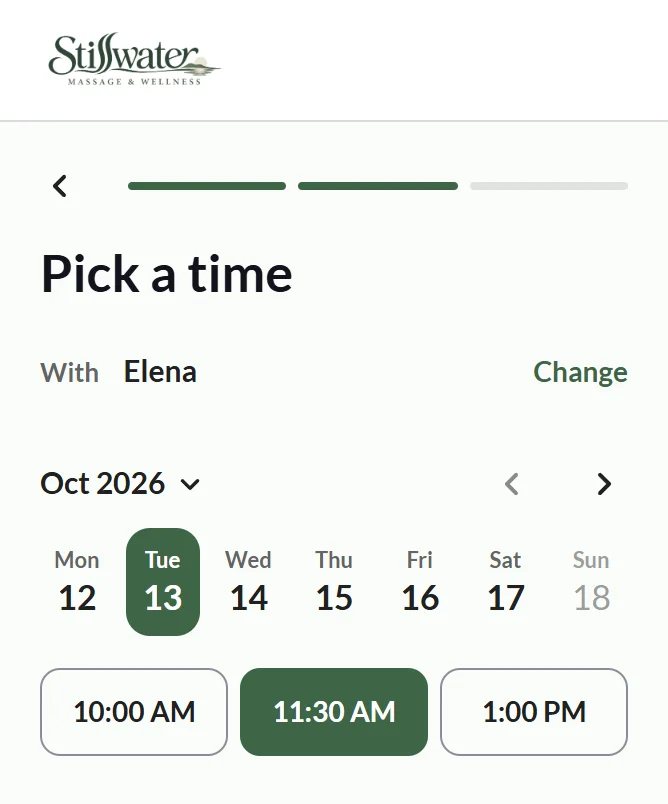
Massage rooms, intake, and time between sessions.
Rooms for different treatments
Choose which rooms each treatment can use. If a treatment needs special equipment, link it to a room that has it.
Rooms and equipmentTime to reset the room
Add a buffer after each massage to change the linens and let the room settle, set once for the business or per treatment. The next client can’t book into it.
Hours and buffers
Read treatment preferences before the visit.
Ask what pressure clients prefer or which areas to avoid. Your team can read the answers on the booking before the visit.
SchedulEase isn’t built for HIPAA-covered health information, so ask about preferences, not medical history.
Deposits for longer treatments
Take a share of the price at booking, a percentage you set, so a longer, pricier treatment holds a larger deposit. Deposits are on Starter and Pro.
Deposits
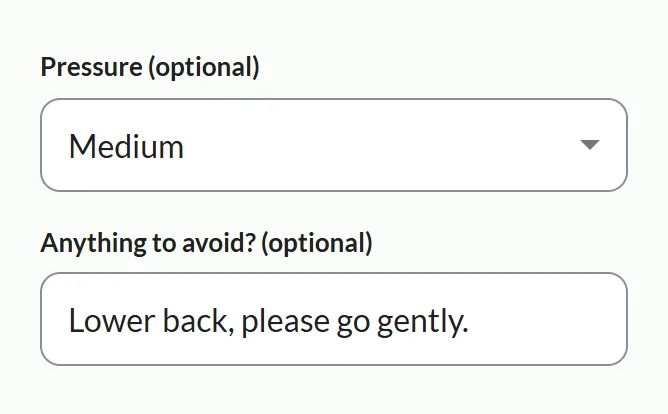
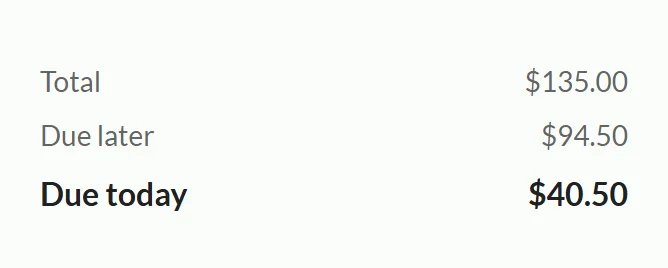
How Stillwater would set it up.
- Locations
- Riverton and Maplewood
- Rooms
- Treatment Room 1 for 60-Minute Massage, Deep Tissue 90, and Hot Stone Massage · Treatment Room 2 for 60-Minute Massage and Prenatal Massage
- Buffer
- 15 minutes after every service
- Plan
- Pro for two bookable people
Questions.
Use booking questions instead: short answers, choices, checkboxes, and dates. Clients can’t upload files.
Yes. On Pro, you can set hours, treatments, and staff for each location. At Stillwater, Owen Hart works at both Riverton and Maplewood.
- Payments through your own Stripe or Square
- Export client records to CSV
- Security and data