Set what each person does and when they work.
Choose which services clients can book with each team member, and decide who can sign in and what they can manage.
Team
2 bookable peopleSearch team members
FilterAll
3 team members
Name
Bookings
Account access
Locations
Services
Setup
Actions
- Ava Brennanava@glow-and-co.example.comBookingsOnAccount accessNo accessLocationsGlow & Co. SalonServicesSignature HaircutBlowout & Style
- Camille Ortizcamille@glow-and-co.example.comBookingsOffAccount accessCan sign inAdminLocationsNoneServicesNoneSetupNot set up for bookingsSet up bookings
- Nina Okafornina@glow-and-co.example.comBookingsOnAccount accessCan sign inManagerLocationsGlow & Co. SalonServicesSignature HaircutFull Color
Nina Okafor
Manager
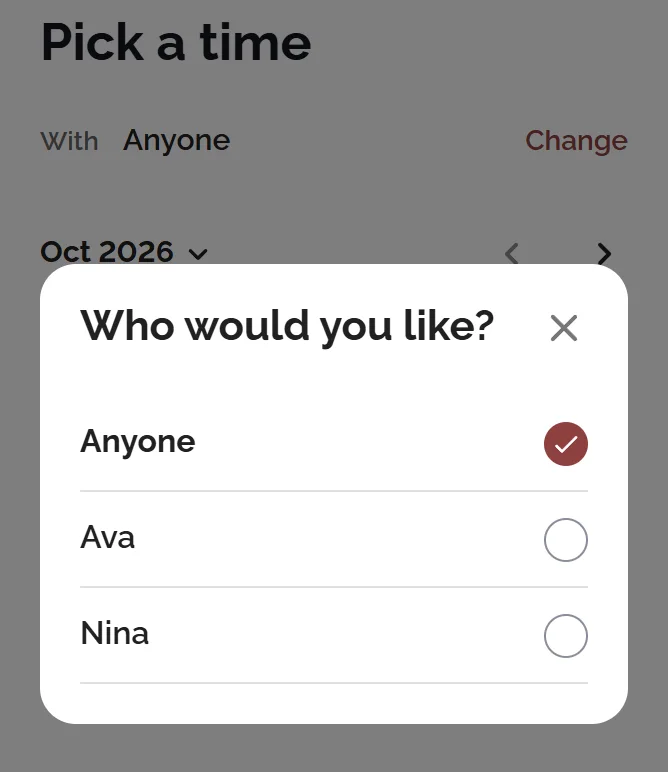
Clients choose who they see.
Clients can choose someone who offers the service they selected. They can pick Anyone to see times with whoever is available for that service.
Booking a Signature Haircut
Ava Brennan
No sign-in access
ProfileHoursServicesAccess
Services
Check availability- Blowout & Style
- Full Color
- Signature Haircut
Nina Okafor
Manager
ProfileHoursServicesAccess
Services
Check availability- Blowout & Style
- Full Color
- Signature Haircut
Choose who takes bookings and who signs in.
A person can take bookings without a login. You can also give someone sign-in access to help manage the business without putting them on the booking page.
Ava Brennan
No sign-in access
ProfileHoursServicesAccess
Sign-in access
Give account access
No sign-in access
Camille Ortiz
Admin
ProfileHoursServicesAccess
Sign-in access
Edit access
Admin
camille@glow-and-co.example.com
Texts: all customers · Email: all customers
Who counts toward your plan.
Each person with bookings turned on counts once, including you if you take bookings. The count stays the same when someone works at several locations.