Get paid into your own account.
Take payment when clients book, and see what’s still due on every appointment. Clients pay through your own Stripe or Square account.
Card payments and deposits are on Starter and Pro.
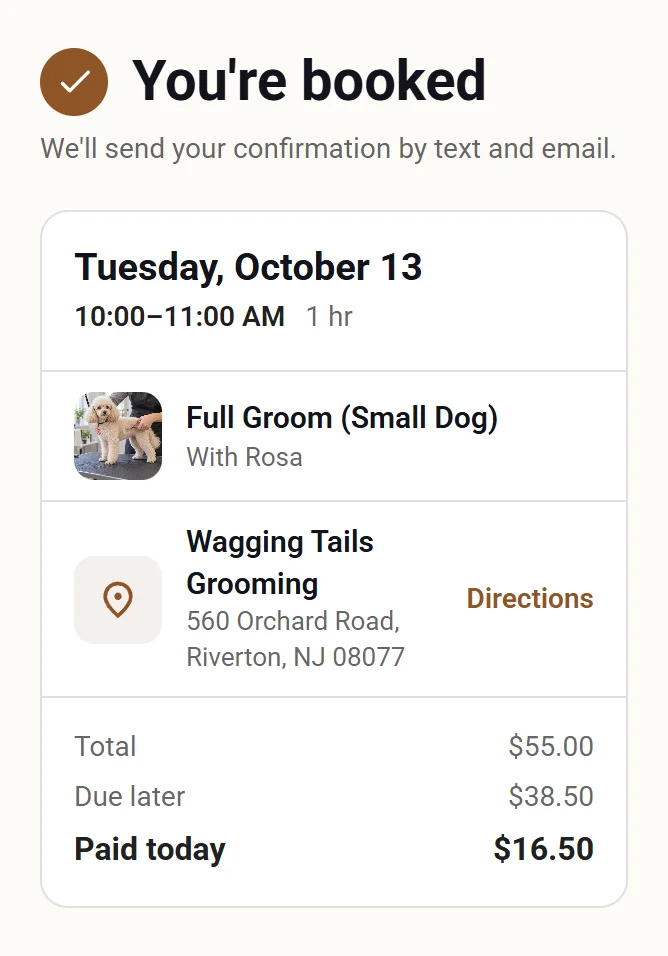
Choose what is due at booking.
Require a percentage deposit or full payment. Clients see what’s due today and what’s due later before they finish booking.
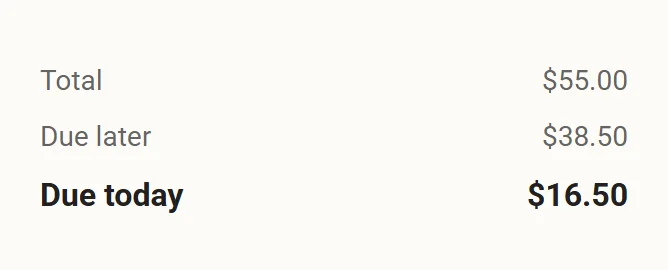
Know what is left to collect.
The appointment shows its payment status, the payment method, and the amount still due. Payments and refunds update that balance as they go through.
Collect the remaining balance.
Payment links
Send a payment link by text or email from the appointment, or copy it to share yourself. Sending the link doesn’t charge their card. The balance updates when the client pays.
At the appointment
Take a card in the SchedulEase app with Tap to Pay, or on a Stripe smart reader or Square Terminal you add in your payment settings.
Invoices and refunds
Send an invoice by text or email, print it, or download it as a PDF. Refund a payment, and the appointment shows what’s still due.
What you pay to take cards.
SchedulEase takes no commission on client payments. Stripe or Square charges its own card fees.
Questions.
Connect your Stripe or Square account from Integrations before taking online payments. On Starter and Pro, you can require a deposit or full payment at booking; your choice applies to every paid service. To take cards at the appointment, use Tap to Pay in the SchedulEase app, or add a Stripe smart reader or a Square Terminal in your payment settings. Stripe or Square charges its own card fees, separate from your SchedulEase subscription.